
How to Pair Shokz OpenRun Pro 2 Mini with Ceecoach Plus: A Simple Guide
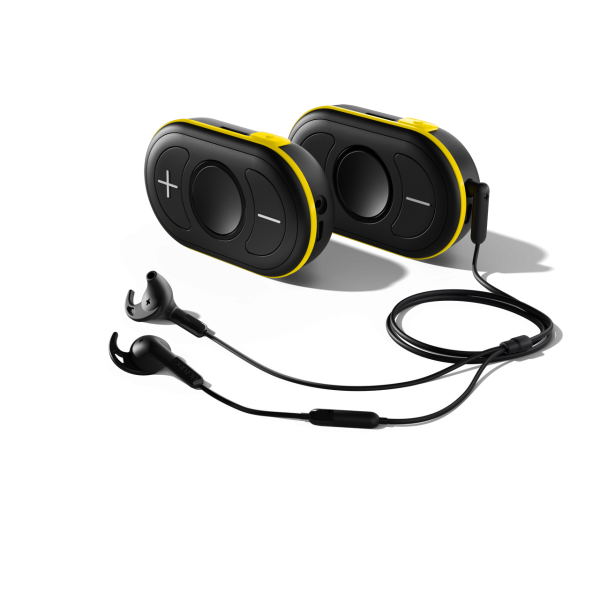
Specifically for the Black Ceecoach Plus Model
Clear communication is key during riding lessons, clinics, or group rides. The Ceecoach Plus system is a favorite among equestrian coaches for hands-free communication, and pairing it with Shokz OpenRun Pro 2 Mini headphones gives you comfort and safety with open-ear technology. Here’s how to connect them seamlessly.
This set-up is my preferred device combination and has incredible sound, connection and longevity. If you need help deciding on which headphone sets to get I have blogs on this:
Step 1: Prepare Your Devices
Charge Both Devices: Ensure your Ceecoach Plus and Shokz headphones are fully charged.
Stay Close: Keep both devices within 1 meter during pairing.
Step 2: Put Shokz OpenRun Pro 2 Mini in Pairing Mode
Start with headphones powered off.
Press and hold the Volume + button for about 5–7 seconds until the LED flashes red and blue alternately.
You’ll hear Audrey say “Pairing”—this means the headphones are ready.
Another option is to install the "Shokz" app on your phone and manage the pairing in here.
Step 3: Activate Bluetooth Pairing on Ceecoach Plus
Turn on your Ceecoach Plus.
Once you have the green lights, press and hold the pairing button (labelled number 5 in the image below)
The lights should circle in a royal blue colour.
The device will now search for a Bluetooth headset.

Step 4: Complete the Connection
In the "Shokz" app, you should see the Ceecoach Plus come up as a device
Ensure multi-pairing is enabled (see diagrams below for what is looks like in the "Shokz" app)
Click "Connect Second Device"
On Ceecoach Plus, wait for the LED to confirm pairing (usually returns to its original color).
On Shokz, it will say “Connected” once the link is established.
Step 5: Test the Setup
Speak into the Ceecoach Plus and confirm audio through your Shokz headphones.
Adjust volume using Ceecoach Plus or the Shokz controls.
Troubleshooting Tips
If pairing fails, reset Ceecoach Plus by pressing all three buttons for 2–3 seconds until the LED flashes red and white.
Make sure no other Bluetooth device is connected to Ceecoach Plus during pairing.
Keep devices within 0.5–10 meters during setup.
Why This Combo Rocks
Hands-Free Coaching: No wires, no distractions.
Open-Ear Safety: Shokz lets you hear your surroundings while listening to instructions.
Long Battery Life: Both devices are designed for extended sessions.

Comments